Click for detailed status
Globus
Globus is a robust and efficient data transfer service designed for moving large volumes of scientific data quickly and reliably. Managed by IT Services at the University of Chicago, Globus provides a secure infrastructure for data movement, leveraging a worldwide certification authority and web-based services.
On Euler, Globus is available to users with access to the project filesystem (and soon, the work filesystem). This typically includes members of units that have invested in Euler storage.
Globus Service Status
Globus transfers are operational
Ecosystem
Globus is a research data management platform built on GridFTP and certificate-based authentication. The service is operated by the University of Chicago and is available via subscription.

Globus enables fast and reliable data transfers within ETH and between ETH and other research institutions. You can use Globus to efficiently move data between Euler and your workstation or notebook, or directly between Euler and your group or department server (some server-side setup is required). Globus is highly efficient, capable of transferring hundreds of terabytes in a short time.
Globus also supports sharing data with collaborators at other institutions, research communities, or the public. Developers can use the Globus API to build custom data sharing applications.
Data transfer with Globus
Prerequisites
To use Globus on Euler, you must be a member of the ID-HPC-EULER group.To check your group membership, run id in an Euler terminal and look for ID-HPC-EULER in the output. If you are not a member, contact Globus Support to request access.
Web interface
The simplest way to use Globus is through the WebGUI (app.globus.org). Select "Use your existing organizational login" and choose "ETHZ - ETH Zürich".
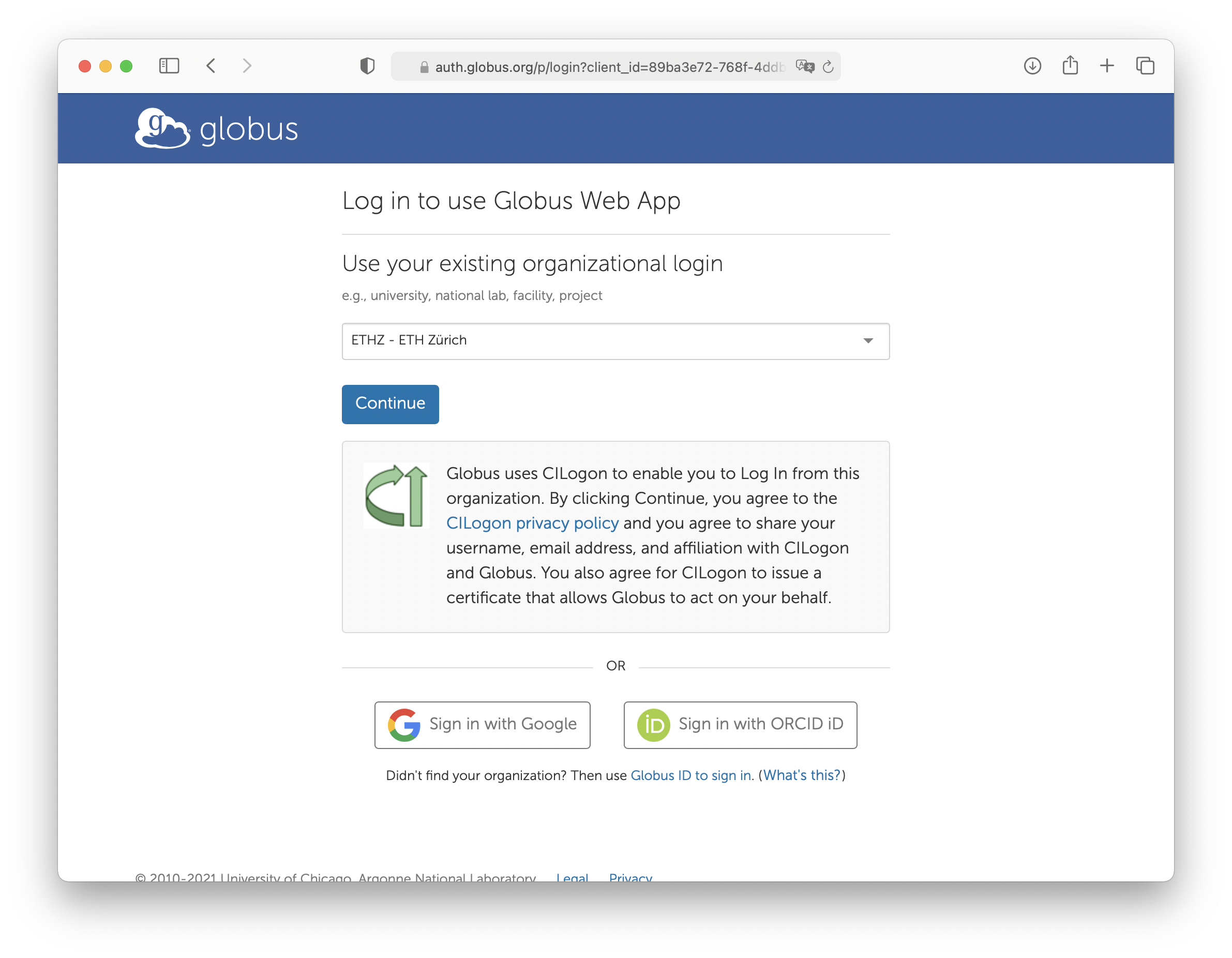 You will be redirected to the ETH login page, where you can authenticate with your ETH username and password. Authentication is handled by ETH, so your credentials are not shared with Globus. Instead, a short-lived certificate is issued for your session.
After logging in, you will access the Globus file manager.
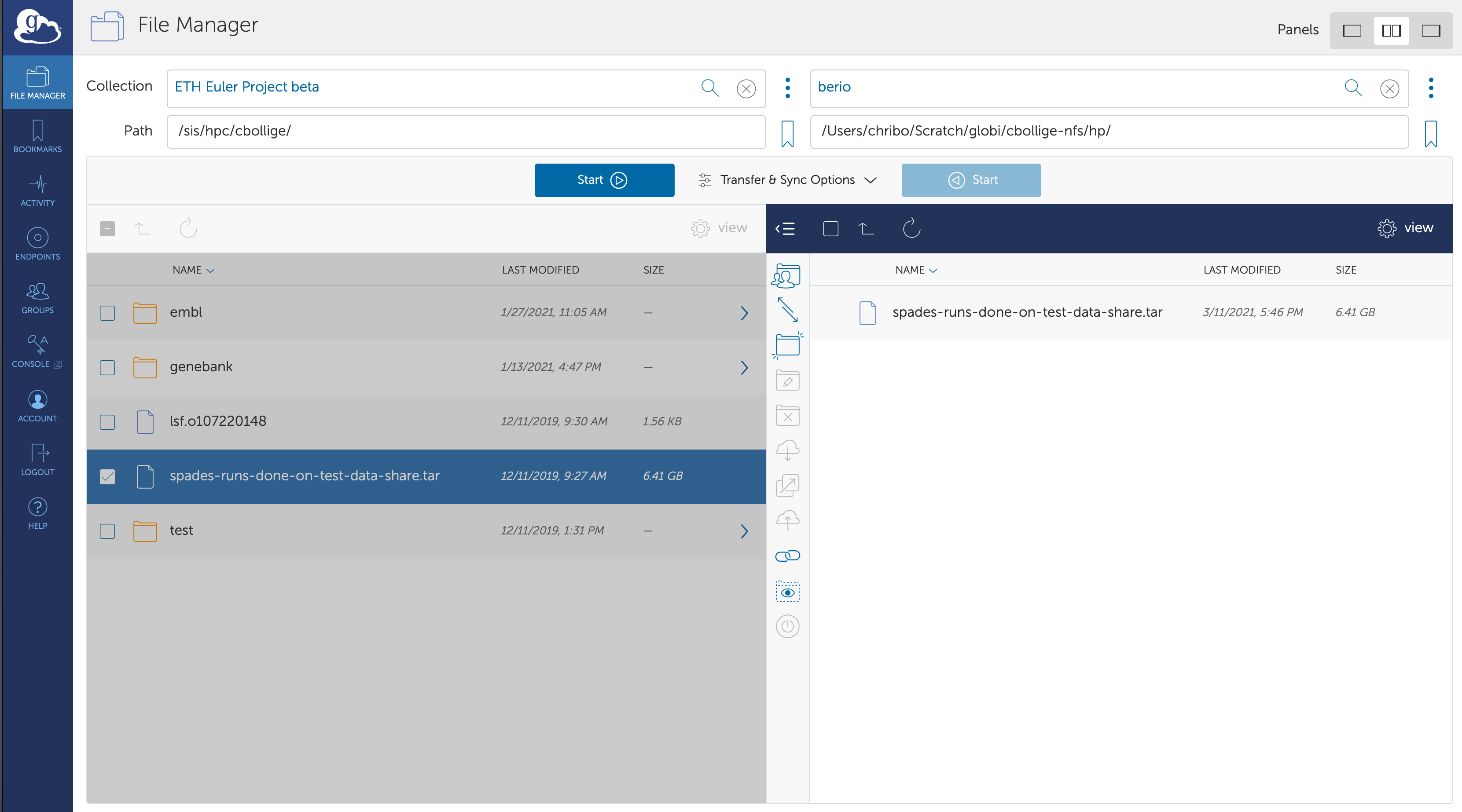 For guidance, see the Globus documentation.
To access your files on Euler, search for "ETH Zürich#Euler" in the "Collection" field. You may be prompted to re-authenticate.
You can also search for other collections, including public ones. For example, the "Shared EMBL-EBI public endpoint" provides access to genetic databases that you can transfer directly to Euler or your local machine.
Transfer and Timer Options
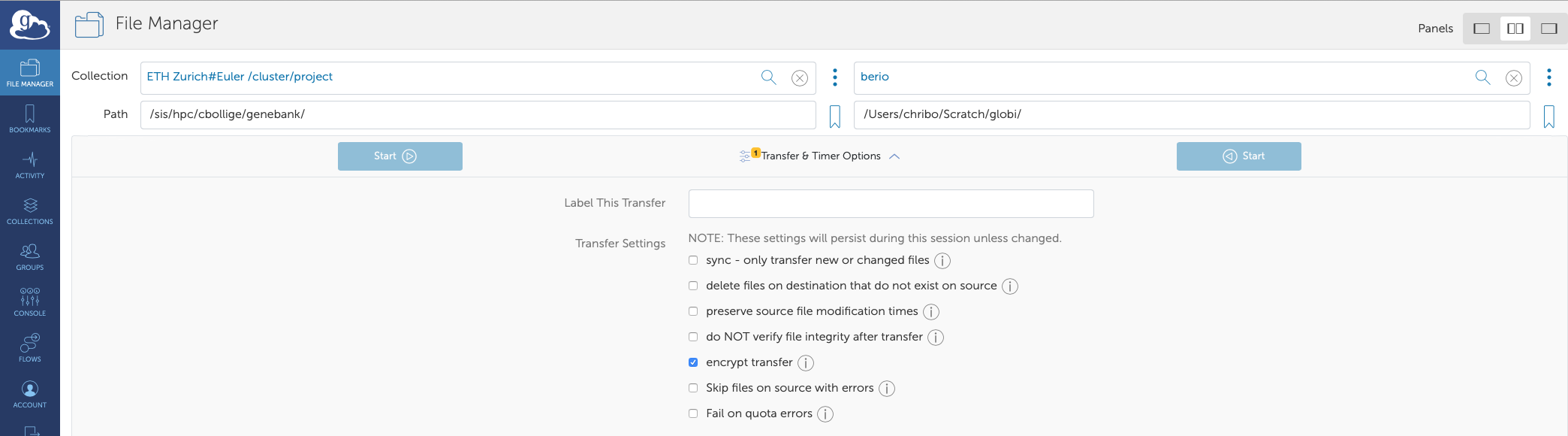
Globus offers several options to customize your file transfers:
- Sync: Transfers only changed files, similar to rsync.
- Delete files: Deletes files on the destination that do not exist on the source (often used with sync).
- Preserve source file modification times: Maintains original file timestamps.
- Do NOT verify file integrity after transfer: Skips checksum verification (not recommended).
- Encrypt transfer: Encrypts data in transit (recommended for transfers up to a few TB; may reduce speed).
- Fail on quota errors: Recommended when uploading to Euler.
Globus Connect Personal
For improved transfer speed and convenience from your local machine, install Globus Connect Personal. This tool adds your computer to the Globus ecosystem, allowing you to define shared directories. It is available for Linux, Mac OS, and Windows. Typically, you will use a split view in the GUI to see both the Euler and local file trees.
Command-line Interface
globus-cli is available on the Python Package Index (PyPi): https://pypi.org/project/globus-cli/
For more details, see the Globus CLI documentation.
Advanced users
Globus is thoroughly documented. Explore the various Globus how-tos for advanced usage.
Premium features for subscribers
ETH research groups that contribute to the Globus subscription gain access to premium features, including:
- Creating endpoints within their institution
- Sharing data with non-Globus users at ETH
If you are interested in these features, contact Globus Support.